
IRAS GST Filing with Xero Singapore: How to Prepare and Submit Your F5
The GST F5 return is the compliance task that GST registered businesses in Singapore handle most often. Every quarter you report your sales, purchases, output tax and input tax to IRAS. Then you either pay the net GST or claim a refund. If you file one day late, IRAS raises a penalty straight away.
If your books already run on Xero, most of the work is finished before you open the return. Like most good accounting software, Xero records the GST amount on each invoice and bill as you post it. It then builds the GST F5 from those transactions and lets you submit GST returns to IRAS directly, so you don’t retype figures into myTax Portal. This guide covers IRAS GST filing with Xero from start to finish: what to check first, how each box is filled, how foreign currency and imported services are treated, and the common errors that lead to IRAS queries.
What the GST F5 Return Covers and When It Is Due
The GST F5 return summarises one accounting period. It shows the value of your standard rated supplies, zero rated supplies and exempt supplies, and your taxable purchases. It also shows the GST collected on sales (output tax), the GST paid on business purchases that you are claiming back (input tax), and the net GST payable or refundable.
A few IRAS requirements apply to every return:
• The standard GST rate has been 9% since 1 January 2024.
• Most businesses file quarterly. The return and the payment are both due one month after the accounting period ends.
• If you pay by GIRO, IRAS deducts the GST on the 15th of the month after the due date.
• Every figure must be in Singapore dollars.
• If you had no transactions, you still file a nil return with 0 in every box.
| Quarter (Calendar-year Filler) | Filing and Payment Due Date |
| Jan to Mar | 30 April |
| Apr to Jun | 31 July |
| Jul to Sep | 31 October |
| Oct to Dec | 31 January |
Your quarters follow the accounting periods IRAS assigned at GST registration. If your financial year doesn’t follow the calendar, confirm your due dates on your IRAS acknowledgement page.
Before You Start: Set Up Xero Correctly
Most filing problems start with the setup rather than the return itself.
• Use Xero’s Singapore Tax Rates
Xero loads IRAS-aligned tax rates automatically for Singapore organisations. Using them also produces the correct codes for the IRAS Audit File.
• Keep One GST Account
Xero only pulls tax from its single GST account into the F5. If someone adds a second GST account to the chart of accounts, any tax posted to it is left out of the return.
• Set Your Filing period in the GST F5 module
The settings page lets you choose your Singapore filing frequency, so the return covers the right months.
• Check Access on Both Sides
In Xero, the person filing needs the adviser role, or the standard role with reports access. At IRAS, the approver must hold the “GST (Filing and Applications)” e-Service in Corppass with the Approver role.
If you registered for GST voluntarily on or after 1 April 2026, you must also send invoice data to IRAS through InvoiceNow. See our Xero e-invoicing services page for how this works inside Xero.
Step by Step: Preparing and Submitting Your GST F5 in Xero
Step 1: Close Off the Period
Reconcile every bank account up to the last day of the quarter. Approve or delete draft invoices and bills, and attach receipts to expenses. Your F5 can only be as accurate as your accounting records.
Step 2: Check Your Input Tax Claims
You can only claim GST on business purchases backed by valid tax invoices addressed to your business. A full tax invoice shows the words “Tax Invoice”, the supplier’s GST registration number, the invoice date and an invoice number. For purchases of $1,000 or less (including GST), a simplified tax invoice is acceptable. IRAS disallows claims on motor car expenses, medical expenses and insurance, and private spending.
Step 3: Open the GST F5 Return
Open the GST F5 Return from your Xero reports (searching “GST F5” is the fastest way) and select the period. Xero calculates each box from the GST transactions coded in that period.
Step 4: Review Transactions by Box Number
The “Transactions by box number” tab lets you sort transactions into the groups IRAS uses. Click any total to see the invoices and bills behind it. If a transaction is coded wrongly, fix the source transaction instead of overriding the box. That way your ledger and your return stay in agreement.
Step 5: Check Foreign Currency Figures
If you invoice overseas customers or pay suppliers in other currencies, confirm the converted SGD values. Net realised gains or losses on foreign currency transactions are automatically included in Box 3. Click “Net realised gains/loss” under Box 3 to see the transactions behind that figure.
Step 6: Post Adjustments
Record adjustments as normal transactions. Examples include a credit note for a returned sale, a bad debt relief entry, or a small correction from an earlier period (see the error rules below). Then refresh the return.
Step 7: Get Sign-Off
Export the return as a PDF for your accountant. Because your adviser can log into the same data, queries get settled inside Xero instead of through emails going back and forth. Keep the PDF as your record of what you filed.
Step 8: File to IRAS
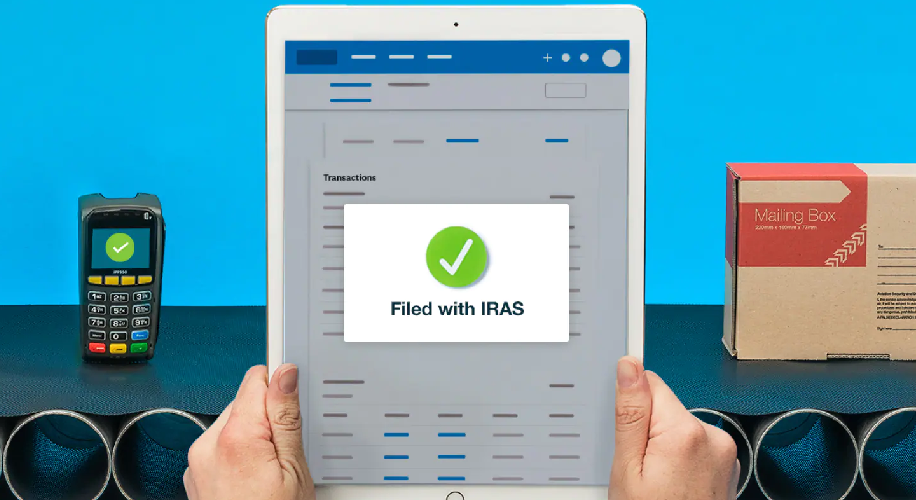
Choose the option to file, authorise through Corppass, and Xero sends the return to IRAS. You see the submission status in Xero immediately. Only the data you authorise is sent, and no other data is shared.
Step 9: Pay or Receive Your Refund
Xero files the return but doesn’t move money. Pay any GST payable by the due date yourself, or let GIRO deduct it. IRAS pays refunds by GIRO or PayNow. Record the payment in Xero so your GST balance clears. A quarter’s worth of GST collected can be a large amount, so plan for it in your cash flow.
Foreign Currency, Imported Services and Low Value Goods
If your business buys from overseas suppliers or sells to customers outside Singapore, this part of the F5 needs extra care. Amounts must be converted into Singapore dollars, export sales only qualify for zero rating with the right evidence, and some overseas purchases bring extra GST obligations. Most errors in this area happen because a business assumes the local rules apply, so it is worth checking each of the points below before you file.
• Foreign Currency Transactions
IRAS requires every amount in Singapore dollars. Xero converts your invoices, bills and payments into SGD. Xero’s F5 is designed for organisations that use SGD as their base currency. If your file uses another base currency, prepare your figures from the GST Audit report and the Foreign Currency Gains and Losses report. Multi-currency also depends on your Xero plan.
• Zero Rating for Overseas Customers
Having a foreign customer doesn’t make a sale zero rated by itself. Goods need export evidence, and services must meet the international services rules.
• Reverse Charge
Reverse charge applies to GST registered businesses that can’t claim input tax in full, such as partially exempt businesses. Fully taxable businesses generally don’t apply it. An affected business reports imported services in Boxes 1, 5 and 14, with the GST in Box 6 and the claimable part in Box 7. Since 1 January 2023, low value goods (S$400 or less, imported by air or post) bought from overseas suppliers, electronic marketplace operators and redeliverers are also covered.
• Remote Services
Boxes 15 to 17 only matter if you run an electronic marketplace, act as a redeliverer, or sell imported low value goods yourself. Most businesses answer No.
Common Errors and How to Fix Them
Check for these before submitting:
• Claiming GST without valid tax invoices, or on disallowed expenses
• Zero rating a sale just because the customer is overseas
• Not accounting for GST on gifts above $200 when you claimed input tax on them
• Not charging GST when you sell business assets
• A credit note coded to the wrong tax rate
• Tax posted to a second GST account
Since 1 January 2024, you can correct an error in your next F5 if two conditions are met. The net GST in error must be $3,000 or less, and the non-GST error must not exceed 5% of Box 4. This only covers errors in Boxes 1 to 7. Anything else needs a GST F7. IRAS imposes no penalties for errors corrected within one year of the F5 filing deadline, and a regular review helps reduce errors before they reach a return.
Penalties for Late Filing
A late F5 attracts a $200 penalty immediately, plus $200 for each completed month it stays outstanding, up to $10,000 per return. IRAS also issues an estimated assessment with a 5% late payment penalty, even if you’re on GIRO. In serious cases, IRAS can summon the business owner or directors to court.
Need Support With Your Xero GST Setup?
Filing takes minutes when the data underneath is clean. At CALTRiX, our team can help through Xero implementation and Xero bookkeeping services. If you’d like a second pair of eyes on your GST setup, book a free 30-minute clarity call today!
Frequently Asked Questions (FAQs)
1. Can I submit my GST F5 directly from Xero to IRAS?
Yes. Xero is on IRAS’s Accounting Software Register Plus, so you can file from Xero after authorising through Corppass.
2. Does Xero pay my GST to IRAS?
No. You pay separately or by GIRO, and IRAS pays refunds to your GIRO or PayNow account.
3. Do I need to file if I had no transactions this quarter?
Yes. File a nil return with 0 in every box by the usual due date.
4. Where do foreign exchange gains go on the F5?
They are treated as exempt supplies. For SGD-base organisations, Xero puts the net realised amount into Box 3 automatically.
5. Do I apply reverse charge on overseas software subscriptions?
Only if you can’t claim input tax in full. Most fully taxable businesses aren’t affected, but check with your adviser if you make exempt supplies.

Alfred Ang
Alfred has led the company in helping over 500 SMEs successfully transition to digital platforms. With expertise in cloud accounting software implementation and other tech stacks. Alfred empowers businesses to access real-time, accurate financial data for informed decision-making. As a Chartered Accountant (CGMA, ACMA, and MIA member), he is driven by the mission to streamline traditional accounting processes. Alfred’s accomplishments include winning the Xero Award for Medium Accounting Partner of the Year in 2024.