Xero for Singapore Businesses: Getting Started with GST and Accounting
Xero accounting software is a cloud-based solution built for Singapore businesses managing GST compliance, bank reconciliation, financial reporting, and IRAS submissions from a single dashboard.
Singapore businesses registered for GST must submit a GST F5 return to IRAS every quarter, and Xero automates the underlying calculations, generates the return, and supports direct submission to IRAS without switching to a separate portal.
Beyond GST compliance, Xero supports InvoiceNow, Singapore’s national e-invoicing network built on the Peppol standard, so invoices sent to participating businesses are delivered electronically and meet IRAS requirements.
Xero’s own research shows that businesses using the platform save an average of 5.5 hours per week on bookkeeping and reconciliation tasks, helping business owners improve efficiency and take full control of their business finances.
This guide explains the key GST and accounting concepts Singapore businesses need to understand, how Xero handles each of them natively, and what a correct Xero setup looks like for a Singapore SME.
What Is Xero and Why Are Singapore Businesses Choosing It Over Traditional Accounting Software?
From Manual Accounting to Cloud-Based Financial Management
Traditional accounting systems require Singapore businesses to download bank statements manually, enter transactions one by one, compile GST figures in a separate spreadsheet, and log into myTax Portal to submit each quarterly return, adding hours of administrative work every month.
Xero replaces these disconnected steps with a cloud platform where bank transactions are imported daily through automated feeds, GST is calculated on every invoice and bill as it is created, and the GST F5 return is generated from the same live data when it is time to submit.
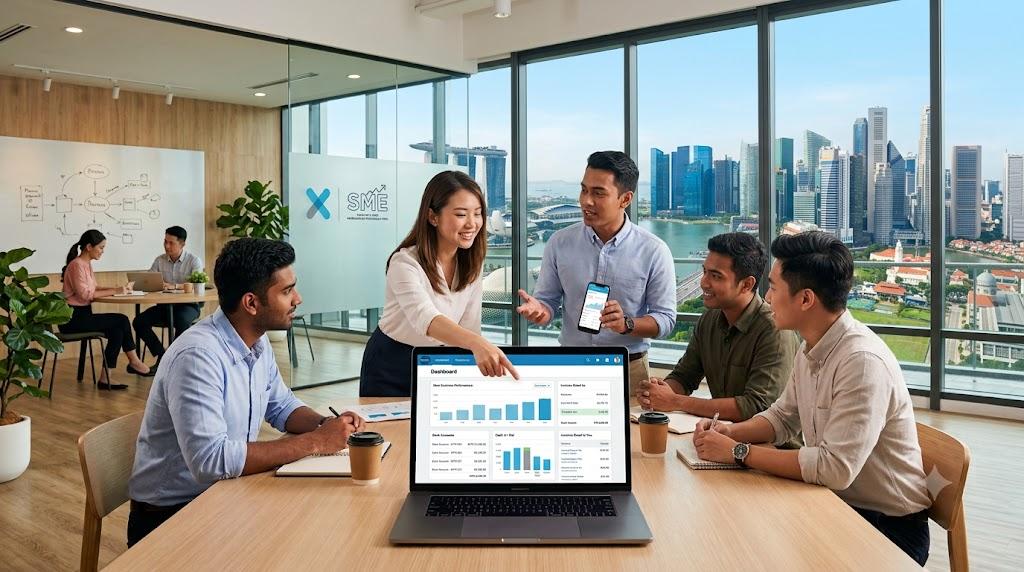
Multiple users can access Xero simultaneously with role-based permissions that protect business privacy, so a business owner, bookkeeper, and Xero accountant can all work on the same accounts in real time without sending files back and forth.
Key Benefits of Xero for Singapore SMEs, Freelancers, and Growing Businesses
The key benefits of using xero singapore as your xero accounting software include automated bank feeds, real time financial visibility, GST F5 generation and direct submission to IRAS, multi-currency support with SGD as the base currency, and integrations with over 1,000 business apps from the Xero App Store.
A xero subscription for Singapore businesses is widely adopted because the platform is built for local regulatory compliance, connects to major Singapore banks and over 21,000 financial institutions globally, and supports CPF payroll processing natively within the same system.
What Do Singapore Businesses Need to Know About GST Filing, GST F5, and IRAS Requirements?
GST Registration, Tax Rates, and Account Codes for Singapore Businesses
Singapore businesses with an annual taxable turnover exceeding SGD 1 million must register for GST with IRAS and charge the current GST rate of 9 percent on taxable supplies, following an increase from 8 percent on 1 January 2024.
Xero provides automatic tax rates for Singapore so once GST is configured in the platform, the correct rate is applied to each invoice and purchase based on the GST code assigned to that transaction, removing the need for manual tax calculations on every sale.
Account codes in Xero are set up during initial configuration to map income, expenses, and purchases to the correct GST reporting categories, ensuring every transaction feeds automatically into the right box on the GST F5 return.
Understanding the GST F5 Return and IRAS Record-Keeping Requirements
The GST F5 is the standard quarterly return that GST-registered businesses in Singapore submit to IRAS, covering output tax on taxable supplies, input tax on purchases and expenses, and any adjustments for the reporting period.
IRAS requires that GST-registered businesses maintain accurate financial records for at least five years to support regulatory compliance, and a correctly configured Xero account keeps these records organised, searchable, and available for audit at any time without additional filing effort.
How Does Xero Handle GST Compliance and Direct Submission of the GST F5 Return to IRAS?
GST Compliance and the Box Number Tab: How Xero Calculates the GST F5
Xero automates gst compliance for Singapore businesses by applying the correct GST code to every invoice and bill, calculating output tax on sales and input tax on purchases, and accumulating the figures for the reporting period automatically.
Xero’s box number tab displays the GST F5 breakdown by the IRAS-specified box numbers, allowing businesses to review each figure before submission and confirm that the totals match the underlying transactions recorded in the system.
When a business receives a supplier bill, Xero utilises tools to extract key data from the document, applies the appropriate GST code, and records the costs and input tax claimable, reducing the manual work involved in reconciling purchases at quarterly filing time.
Direct Submission of the GST F5 Return from Xero to IRAS
Businesses can submit the gst f5 return via direct submission directly to IRAS from within Xero, removing the need to log into myTax Portal separately and re-enter figures that are already recorded in the accounting system.
Direct submission from Xero meets all IRAS requirements for compliant GST reporting, and Xero records the submission date and reference number so there is a clear audit trail for every GST period filed.
How Does Xero Manage Bank Reconciliation, Cash Flow, and Foreign Currency for Singapore SMEs?
Automated Bank Feeds and Bank Reconciliation for Singapore Businesses
Xero integrates with local banks to automate transaction imports and bank reconciliation, pulling in daily transactions from Singapore bank accounts so the books are always current without requiring manual statement downloads.
Automated bank feeds eliminate the need to import bank statements by hand, and the bank reconciliation process is reduced to reviewing and matching transactions that Xero has already categorised based on previous patterns and rules set by the user.
Xero connects to over 21,000 financial institutions globally for bank integration, so Singapore businesses with accounts at multiple banks or overseas branches can consolidate all transactions in one place and maintain a single, accurate cash flow view.
Foreign Currency Transactions, Multiple Currencies, and SGD as the Base Currency
Xero supports multiple currencies for Singapore businesses that invoice overseas clients or purchase from foreign suppliers, with SGD set as the base currency and all foreign currency transactions converted at the prevailing exchange rate automatically.
Foreign currency amounts are converted to SGD for financial reporting and GST purposes, so the figures on the profit and loss statement and the GST F5 always reflect accurate Singapore dollar values without any manual conversion steps required.
What Real-Time Reporting and Financial Reporting Features Does Xero Offer?
Real-Time Reporting: Dashboard, Financial Statements, and Custom Reports
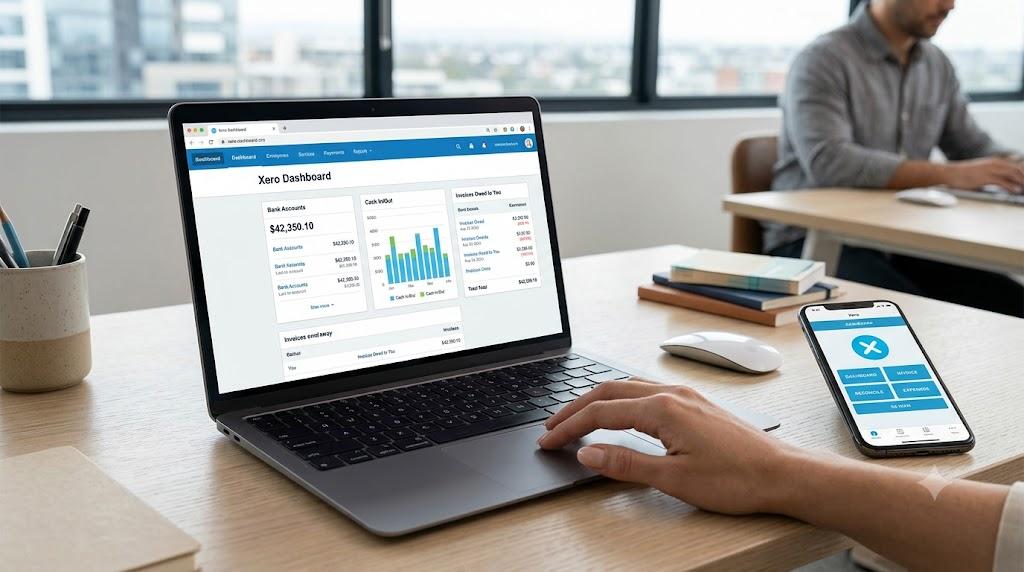
Xero’s dashboard provides real time reporting and financial reporting on a single screen, showing the current bank balance, total outstanding invoices, upcoming bills, and a short-term cash flow projection based on what is owed and what is due.
Xero generates standard and custom reports using live data, including profit and loss, balance sheet, accounts receivable ageing, and GST reporting summaries that can be run at any point without waiting for a month-end close process.
Expense Tracking, Payroll, Inventory, and Third-Party App Integrations
Xero allows employees to submit expense claims through a mobile app by photographing receipts and assigning them to the correct expense category, removing the need for paper forms and manual data entry by finance staff.
Xero tracks up to 4,000 inventory items for SMEs that sell physical products alongside services, making it suitable for Singapore businesses that need stock management and accounting integrated in one system.
Xero connects with over 1,000 third-party applications through its App Store, covering payment gateways, CRM tools, payroll platforms, and inventory systems that Singapore businesses commonly use alongside their core accounting software.
What Are the Key Benefits and Payment Options That Make Xero Right for Singapore Businesses?
Online Payments, Invoice Number Tracking, and Automatic Reminders
Xero enables online payments to be collected directly from invoices, with each invoice number automatically tracked in the system so Singapore clients can pay without a separate bank transfer, and business owners can monitor payment status in real time.
Automatic reminders in Xero follow up on overdue invoices, improve efficiency in accounts receivable, and reduce the time business owners spend managing their finances manually rather than focusing on client work and business growth.
Xero tracks when invoices are opened and viewed by the recipient, giving business owners visibility of whether a client has seen the invoice and allowing confident, timely follow-up when payment does not arrive as expected.
How Xero Accountants Help Singapore Businesses Stay IRAS Compliant
Xero accountants ensure compliance with Singapore’s accounting and tax regulations by setting up the chart of accounts correctly, applying the right GST codes to each transaction type, and reviewing the GST F5 before direct submission to IRAS each quarter.
They configure InvoiceNow for e-invoicing in Singapore, connecting the Xero account to Singapore’s national e-invoicing network so invoices sent to participating businesses are delivered electronically and meet current IRAS e-invoicing requirements.
How Does CALTRiX Set Up Xero for Singapore Businesses?
Xero Singapore Configuration: GST Codes, Bank Feeds, and InvoiceNow E-Invoicing
Singapore businesses that come to CALTRiX typically have Xero set up without correct GST configuration. Tax codes are applied inconsistently, the GST F5 figures do not reconcile to the underlying transactions, and direct submission to IRAS has never been tested end to end.
As a Xero Certified Adviser, CALTRiX’s dedicated team specialises in Xero setup for Singapore businesses, configuring the account with Singapore-specific GST codes, correct account codes for every income and expense category, bank feeds connected to the business’s Singapore bank accounts, and InvoiceNow e-invoicing set up and tested before the first filing period.
For businesses with foreign currency transactions, CALTRiX sets the base currency to SGD, enables multi-currency support, and configures exchange rate settings so cross-border invoices and purchases are reported correctly on the GST F5 when it is submitted to IRAS.
Whether you are setting up Xero for the first time and want to protect your business finances from costly errors, or already GST-registered and uncertain about your F5 compliance, contact CALTRiX to get your accounting configured correctly from day one.
Frequently Asked Questions
How does Xero handle GST filing for Singapore businesses?
Xero automates GST calculations on every invoice and purchase, generates the GST F5 return using the box number tab broken down by IRAS-specified box numbers, and supports direct submission to IRAS from within the platform. Businesses review each box before submitting, and Xero records the submission date and reference number for the audit trail.
Can Xero submit the GST F5 directly to IRAS without logging into myTax Portal?
Yes. Businesses can submit the GST F5 return directly to IRAS from Xero, meeting all IRAS requirements and removing the need to re-enter figures in a separate portal. The submission date and reference number are recorded in Xero for compliance and audit purposes.
How does Xero handle foreign currency transactions for Singapore businesses?
Xero supports multiple currencies with SGD as the base currency. Foreign currency transactions are automatically converted to SGD at the transaction date exchange rate for financial reporting and GST purposes, so the GST F5 figures always reflect accurate Singapore dollar values.
Does Xero integrate with Singapore banks for automated bank reconciliation?
Yes. Xero integrates with local banks to automate transaction imports and bank reconciliation, connecting to major Singapore banks and over 21,000 financial institutions globally. Daily imports mean bank reconciliation can be completed without downloading or importing bank statements manually.
How does CALTRiX help Singapore businesses set up Xero?
CALTRiX’s dedicated team specialises in Xero configuration for Singapore, covering GST codes, account codes, bank feeds, InvoiceNow e-invoicing, and direct IRAS submission tested end to end. For businesses with foreign currency transactions, CALTRiX also sets up multi-currency support with SGD as the base currency.

Alfred Ang
Alfred has led the company in helping over 500 SMEs successfully transition to digital platforms. With expertise in cloud accounting software implementation and other tech stacks. Alfred empowers businesses to access real-time, accurate financial data for informed decision-making. As a Chartered Accountant (CGMA, ACMA, and MIA member), he is driven by the mission to streamline traditional accounting processes. Alfred’s accomplishments include winning the Xero Award for Medium Accounting Partner of the Year in 2024.