
How to Use Xero Reports to Support a Bank Loan Application in Malaysia
Xero bank loan malaysia reporting gives Malaysian business owners the financial statements, cash flow data, and balance sheet figures that banks and lenders request before approving a business loan, all exportable directly from the Xero account. Most lenders in Malaysia assess business finances through at least 12 to 24 months of financial data, and some banks plan for 36 months of financial history when evaluating growth potential and the capacity to repay.
If your Xero account is set up correctly, you can generate every report a lender requests in minutes, and the figures carry the accuracy and confidence needed to present to any bank. Xero is an accounting platform, not a lender, but it partners with financial institutions to facilitate financing options and helps businesses prepare for and manage various types of financing throughout the loan cycle.
The steps below cover how to prepare your Xero account, which reports Malaysian banks request, how to record a bank loan once approved, and how to manage repayments and loan interest on a regular basis.
What Financial Reports Do Malaysian Banks Require for a Loan Application?
How Lenders Assess Your Cash Position and Balance Sheet
Lenders commonly assess business financial statements and cash flow history before approving a loan, looking for evidence that the business generates enough revenue to service the debt each month. Your cash position tells the lender how much cash the business holds at any given date and whether it can take on new debt without straining day-to-day operations.
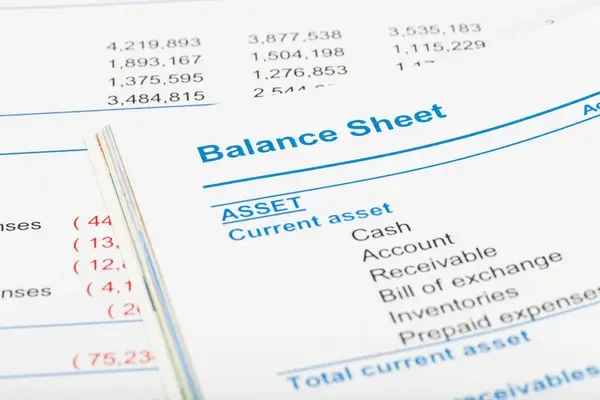
The balance sheet shows total assets, liabilities, and equity, and demonstrates the financial stability and growth potential of the business to any lender or investor.
Funders prefer accrual-based reports for better alignment with invoices and outstanding payables, which is why a well-maintained Xero account produces more credible figures than a cash-only spreadsheet.
What Documents to Prepare: Business Registration, Statements, and Aged Receivables
Lenders may ask for documentation such as business registration certificates, audited or management accounts, recent bank statements, and a list of current liabilities and outstanding invoices. Many lenders require a stable revenue or profitability record over at least two financial years before approving a term loan or line of credit for a Malaysian SME.
Traditional banks in Malaysia may take two to four weeks to process a loan application once all financial documents are submitted, so preparing accurate reports early reduces delays.
A debt schedule should be included in financial reporting packs for lenders, listing all existing loans, repayment amounts, and outstanding balances so the lender can confirm total debt exposure.
How to Prepare Your Xero Account Before Applying for a Bank Loan
Checking Bank Accounts, Opening Balances, and Clean Financial Data
The first step is ensuring all bank accounts in Xero are set up with correct opening balances that match the actual account figures on the start date, with no unexplained differences between Xero and the real bank balance. Clean financial data means every transaction is coded to the correct account, unreconciled items are cleared, and no bills or invoices have been posted to the wrong period.
If the Xero account has years of uncoded transactions or incorrect opening balances, an accountant should resolve these before any reports are submitted to a lender.
For businesses approaching a financial year-end, update Xero before 31 December if that is your year-end date so the reports reflect a complete financial year when the bank requests them.
Connecting Bank Feeds, Bank Rules, and Third-Party Integrations
Connecting bank accounts to Xero can simplify loan management by automating reconciliations, removing the manual process of matching bank transactions line by line each month. Bank rules in Xero allow recurring transactions such as loan repayments, payroll, and interest charges to be categorised automatically so the books stay current without manual effort.
Third-party software that connects with Xero, including Stripe, Shopify, and PayPal, pulls payment and revenue data into the accounting system automatically, giving lenders a complete picture of all business income streams.
Malaysian businesses transacting in USD or other foreign currencies can use Xero’s multi-currency feature, and bank feeds from accounts in different currencies reconcile within the same Xero account.
How to Generate the Xero Reports That Support a Bank Loan Application
Profit and Loss, Balance Sheet, and Cash Flow Reports in Xero
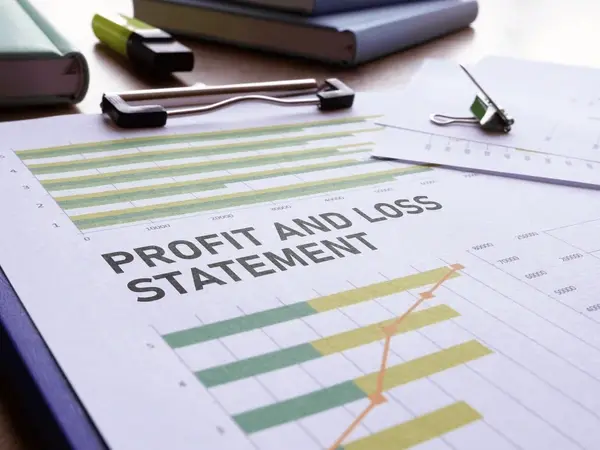
The Profit and Loss report shows revenue, expenses, and profit for any selected period and tells the lender whether the business generates consistent income and controls its costs responsibly.
The balance sheet shows total assets, current and non-current liabilities, and equity at a specific date, giving the lender a clear snapshot of what the business owns and owes.
The Cash Flow Statement confirms the cash position month by month, showing whether operating activities generate enough cash to cover expenses and fund the growth of the business.
All three reports can be exported from Xero for any date range or financial year, and the figures update in real time as transactions are reconciled in the system.
Aged Receivables, Payables, and the Reports Lenders Specifically Request
The Aged Receivables report shows all outstanding invoices owed to the business and helps lenders confirm that reported revenue is backed by real receivables and not just written projections.
The Aged Payables report shows what the business owes to suppliers, giving the lender a complete picture of current obligations before deciding whether to approve additional funding.
Xero provides real-time dashboards for tracking cash flow, outstanding invoices, and bills, making it straightforward to compile a complete reporting pack at short notice when a lender requests it.
Export all reports as PDF or Excel files from the Reports section in Xero, and include the date range on each document so the lender can confirm the reporting period matches the application.
How to Record a Bank Loan in Xero Malaysia
Setting Up the Loan as a Non-Current Liability in Your Xero Account
Bank loans are recorded as non-current liabilities in Xero because the obligation extends beyond 12 months and represents a long-term financial commitment, not operating income or revenue.
Use Xero code 900 for bank loans, or create a custom liability account under the non-current liabilities section of the chart of accounts if your Xero account uses a different numbering structure.
Bank loans are classified as borrowings, not income, so the loan receipt should be posted to the liability account to keep the balance sheet accurate and avoid overstating revenue.
Set up the loan as a bank account in Xero if your lender provides a bank feed connection, as this allows repayment transactions to be imported automatically into the Bank Reconciliation screen.
Bank loan transactions are not subject to SST in Malaysia, in the UK, the equivalent rule is that bank loan transactions are not subject to VAT, and interest is classified as an Exempt Expense.
Bank loans are not subject to income tax in Malaysia as the principal received is a liability, not taxable revenue; the same principle applies in the UK, where loans are not subject to corporation tax.
Recording the Loan Receipt and Initial Balance in Xero
When the loan is disbursed, record the receipt in the bank account and create a matching credit entry to the non-current liability account to confirm the opening balance of the loan in Xero.
The non-current liability balance on the balance sheet should match the loan statement provided by the bank on the disbursement date so both records are in agreement from the start.
If the loan came with arrangement fees or other upfront costs, record these as finance expenses in a separate account so the true cost of the debt is visible in the profit and loss report.
How to Manage Loan Repayments and Loan Interest in Xero
Recording Repayments in the Bank Reconciliation Screen
Record bank loan repayments in the Bank Reconciliation screen in Xero, splitting each transaction into two lines: the principal portion posted to the non-current liability account and the loan interest posted to a finance cost account.
Bank loan repayments do not reduce taxable income in Malaysia, only the interest component may be deductible under LHDN guidelines, and this is different from reducing the liability balance in Xero.
In the UK, loan repayments do not reduce corporation tax bills in Malaysia, the same applies in that principal repayments are not deductible, though business loan interest may be, subject to LHDN confirmation.
Set up a bank rule in Xero to categorise the monthly repayment transaction automatically, splitting principal and loan interest at the correct ratio each month without manual adjustment.
Tracking Loan Interest, Financial Year Reporting, and Lender Updates
Interest on bank loans can reduce income tax in Malaysia if the loan was used for business purposes; in the UK, interest on loans can similarly reduce corporation tax bills when used for business activity.
Track loan interest in a dedicated finance cost account so the total interest paid appears clearly on the Profit and Loss report at any point in the financial year.
Before the financial year-end date, confirm all repayments are reconciled in Xero, the non-current liability balance is correct, and interest charges match the loan statement from the bank.
Some lenders request updated financial statements on a regular basis throughout the loan term; with Xero correctly maintained, exporting a current balance sheet and profit and loss takes minutes.
In the months when you buy capital equipment or make significant investment decisions, record the asset and its associated loan in Xero immediately so the balance sheet reflects the correct position.
What Types of Business Financing Can Xero Help You Manage in Malaysia?
Term Loans, Lines of Credit, and Invoice Financing
Common types of financing in Malaysia include term loans, lines of credit, and invoice financing, and each is recorded differently in Xero depending on whether the obligation is current or non-current. A term loan is a non-current liability in Xero and reduces over the loan period as repayments are made; a line of credit is typically a current liability that fluctuates with how much has been drawn.
Invoice financing allows businesses to unlock cash from outstanding invoices, the advance is recorded as a current liability in Xero, and repayment occurs when the customer pays the original invoice.
Property and equipment loans are recorded under non-current liabilities, with the corresponding fixed asset entered separately so both sides of the balance sheet remain accurate.
Peer-to-Peer Lending, Investors, and How Xero Supports Each Funding Type
Peer-to-peer lending allows businesses to apply for funding based on financial data, and platforms in this space use the same profit and loss, balance sheet, and cash flow reports that traditional banks request.
Investors reviewing a funding proposal will ask to see Xero financial reports and may also request a debt schedule and projections to assess the risk and repayment capacity of the business. Xero partners with financial institutions to facilitate financing options for SMEs, and some banks can access Xero data directly with the business owner’s permission to accelerate the loan assessment process.
Whether applying to a traditional bank, a peer-to-peer platform, or approaching investors, Xero produces all the financial data required from a single source.
How CALTRiX Helps Malaysian Businesses Get Loan-Ready with Xero
Xero Bank Loan Malaysia: From Account Setup to Report Submission
Businesses that come to CALTRiX for bank loan support often have a Xero account with uncoded transactions, missing opening balances, and no non-current liability account set up for existing debt.
CALTRiX cleans up the chart of accounts, configures non-current liability accounts using Xero code 900 or a custom structure, reconciles outstanding bank transactions, and produces the full reporting pack that lenders request.
The result is a clean set of financial reports, including the balance sheet, profit and loss statement, cash flow summary, and aged receivables, that present the business finances clearly to any Malaysian lender.
Ongoing Bookkeeping and Accountant Support Throughout the Loan Term
Once the loan is approved, CALTRiX configures monthly repayment tracking, loan interest accounts, and bank reconciliation rules in Xero so every transaction is coded correctly from day one. With the Xero account correctly set up, business owners can present updated financial data to lenders with confidence, export reports at any date, and grow your business knowing the figures are always accurate.
If your Xero account needs a cleanup before a bank loan application or ongoing bookkeeping support throughout the loan term, contact CALTRiX to configure your xero bank loan malaysia accounting correctly.
Frequently Asked Questions
How do I record a bank loan in Xero Malaysia?
Create a non-current liability account using Xero code 900, record the loan receipt as a credit to that account, then record each monthly repayment in the Bank Reconciliation screen by splitting the transaction into principal and loan interest.
Which Xero reports do Malaysian banks require for a loan application?
Most lenders request the Profit and Loss report, Balance Sheet, Cash Flow Statement, and Aged Receivables report. Some also ask for a debt schedule and the last 6 to 12 months of bank statements, all exportable from Xero.
Is bank loan interest tax deductible in Malaysia?
Interest paid on a business loan used for business purposes may be deductible against taxable income under LHDN guidelines. The principal repayment itself is not deductible. Confirm the correct treatment with your accountant before filing.
Can I connect my Malaysian bank account to Xero for loan management?
Yes. Xero connects with major Malaysian banks through automated bank feeds. Once connected, daily transactions are pulled in automatically, and bank rules categorise repayments, loan interest, and other transactions without manual data entry.
How does CALTRiX help with Xero bank loan applications in Malaysia?
CALTRiX configures Xero with correct loan account setup, non-current liability tracking, loan interest accounts, and monthly reconciliation. This produces the accurate financial statements Malaysian lenders request and keeps reporting clean throughout the loan term.

Alfred Ang
Alfred has led the company in helping over 500 SMEs successfully transition to digital platforms. With expertise in cloud accounting software implementation and other tech stacks. Alfred empowers businesses to access real-time, accurate financial data for informed decision-making. As a Chartered Accountant (CGMA, ACMA, and MIA member), he is driven by the mission to streamline traditional accounting processes. Alfred’s accomplishments include winning the Xero Award for Medium Accounting Partner of the Year in 2024.